Guys, I’m going to put this out here for ALL artists who draw nsfw:
Separate your SFW accounts from your NSFW accounts using a separate email address right now.
Make sure you back up your blogs at The Wayback Machine as soon as you can.
A few of us have noticed some stuff on Tumblr where blogs have been deleted for having “child pornography” when all the drawn characters are over the age of 18 (and no, not “aged up” content. actual adults).
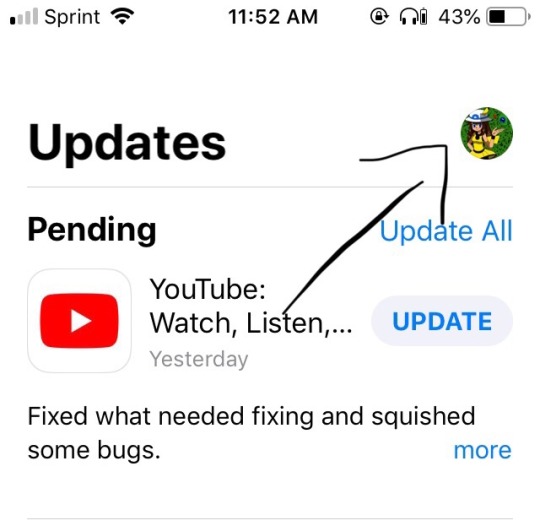
–> Make a new tumblr account with a new email and verify it. –> On your old account, click the human icon beside the pencil at the top right corner of Tumblr. This opens all of your attached blogs.
–> Go to the “Members” page of each side blog you wish move.
–> Put in your new blog’s email for each of the side blogs you wish to move. This will link the blogs together.
–> Confirm your linked blog(s) in your new blog’s email account. –> On your old blog, Go back to the member’s page of each side blog on your old blog and appoint your new blog as an “admin”.
–> Click “Delete this blog” on your OLD BLOG you are separating.
Your blogs will now be on separate email accounts. Congratulations.
PLEASE BE CAREFUL NOT TO DELETE THE WRONG BLOG. READ THE INSTRUCTIONS VERY CAREFULLY. BE VERY CAUTIOUS.
I did go to classes when I was young, but considering most of the draws in the sketchbook from those years were… horribly ineligible because I was like 10, I mostly picked up on how to draw from watching things (animes + speedpaints) or referencing images to draw over and over till I understood how the body should look in said position.
But also I’ve mentioned this before but, the whole tracing thing or using bases for art! I don’t think its actually bad to trace or uses bases as a start or for practice BUT ONLY IF THE ARTIST WHO DREW THE ORIGINAL CONTENT SAYS ITS OKAY AND YOU CREDIT THEM PROPERLY! when I was younger I didn’t use bases or trace, but thats because I’m the type of person who just be like that. But its extra useful
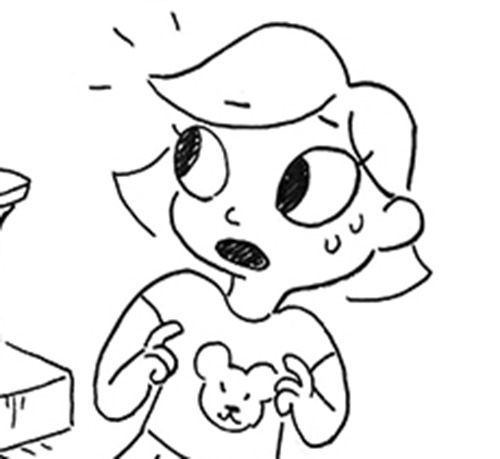
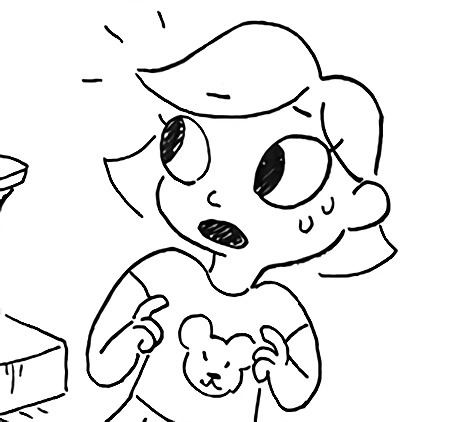
Like this for example.
And then because I did that, I got understanding of how the shirt wrinkles and crinkles so I feel more confident to draw use it on something else!
I also bought like… 20 reference books? Which thankfully now isn’t really something you have to do because wonderful and talented artists have let us in on their secrets and drawn plenty of tutorials.
Which I didn’t exactly know about when I was starting.
Lighting/shading:
When it comes to lighting or shading I have had trouble with this but in recent months I feel like I’m grasping it a lot better. like for instance, depending on the time of day or the mood of the picture you want, you use either warm or cool colors.
I’m especially proud of the lighting and shading in this picture I drew
Chara’s skin tone is orangey, so I made the shading a brownish green, but depending on the lightening it could have been more purple/blue like how I made Sans’ bones. 😀 I don’t have much other advice on it, I’m still learning what looks best to me and what feels functional sooooooooo..
Other tips:
Before sitting down to draw something be sure to stretch! Its very easy to strain your muscles in both your hands, wrists and body by not doing proper stretching. Flex your fingers turn your wrists a couple times, theres actually a tutorial I’ll link it here – with some helpful stretches!
When you draw, grab some water, and a snack and be sure to stay hydrated and full while working! Its very easy to get absorbed in work and not want to move, so having what you need on hand will help greatly!
Take breaks! I recommend taking one every hour and a half! stand up, stretch your legs, go to the bathroom or whatever else you need! Go outside even, get a little sunlight if you can.
Posture is also very important! When drawing I recommend keeping your legs out under you, DO NOT SIT ON THEM. I bet you’ve experienced the classic ‘pins and needles’ that make you die inside when you move your leg. Sitting on, crossing or bending your legs for extended periods is going to make your legs do that. Also do nOT LEAN ON YOUR ARM WHILE DRAWING. It will do the same thing and geez does it sting. Also, Slouching forward will really hurt your back, I recommend sitting straight with the canvas or drawing surface tilted so that you don’t strain anything.
apparently ppl don’t know about waifu2x??? despite its… concerning name it’s literally the most convenient website i’ve ever come across as an artist
it allows you to resize artwork without it becoming pixellated. this is a MASSIVE help if you, for example, make lineart too small or something. it works best with things that 1. have no textures 2. have smooth lines 3. have cel shading, but it still works really damn well for things that don’t fit that profile
here’s an example:
normal size
2x in paint
2x in waifu2x
so like, there’s that. go wild
Original:
Photoshop scaled:
Waifu2x scaled:
It’s legit!! Tell your friends!
waifu2x-multi is the newer version. It allows for rescaling multiple pictures at a time and to scale them up to 10x the original size.
In yet another bad move, Tumblr has apparently made it so that any posts containing links of any kind don’t come up in search results, which is effectively the final nail in the coffin for a lot of content creators
to combat this, and also still find good content, change your searches from ‘tumblr. com/search/ bees’ to ‘tumblr. com/tagged/ bees’ and posts with links in them should still show up
and to help out creators who will inevitably suffer from this, reblogging and sharing our work is now more important than ever, especially things like product adverts, kickstarters, patreons and commission posts. please support your local friendly creatives!
For people who tend to forget doing this sometimes: New XKit has a module that changes the search bar to use /tagged/ instead of /search/ so you don’t have to change it manually every time!
I have some hours before work so I’ll use them to actually detail why I’ve found CSPaint to be so efficient for bastard-aligned painters who like to take shortcuts.
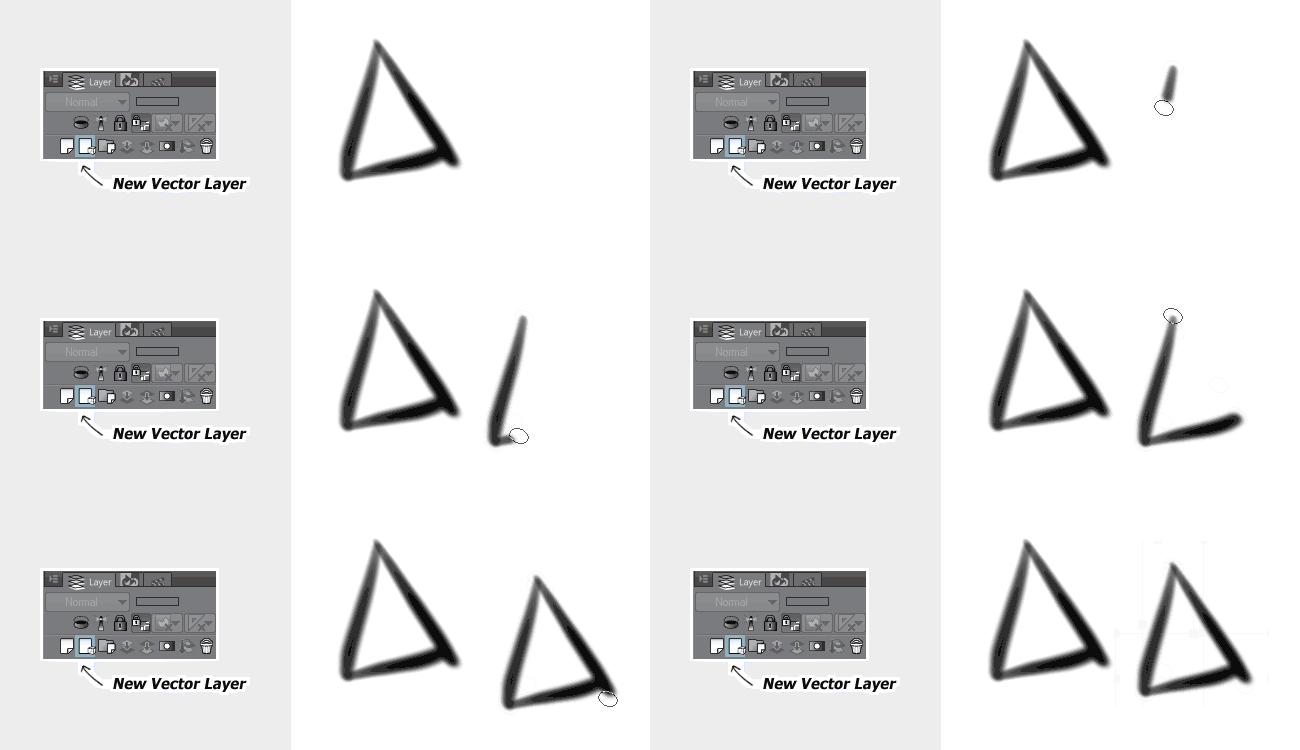
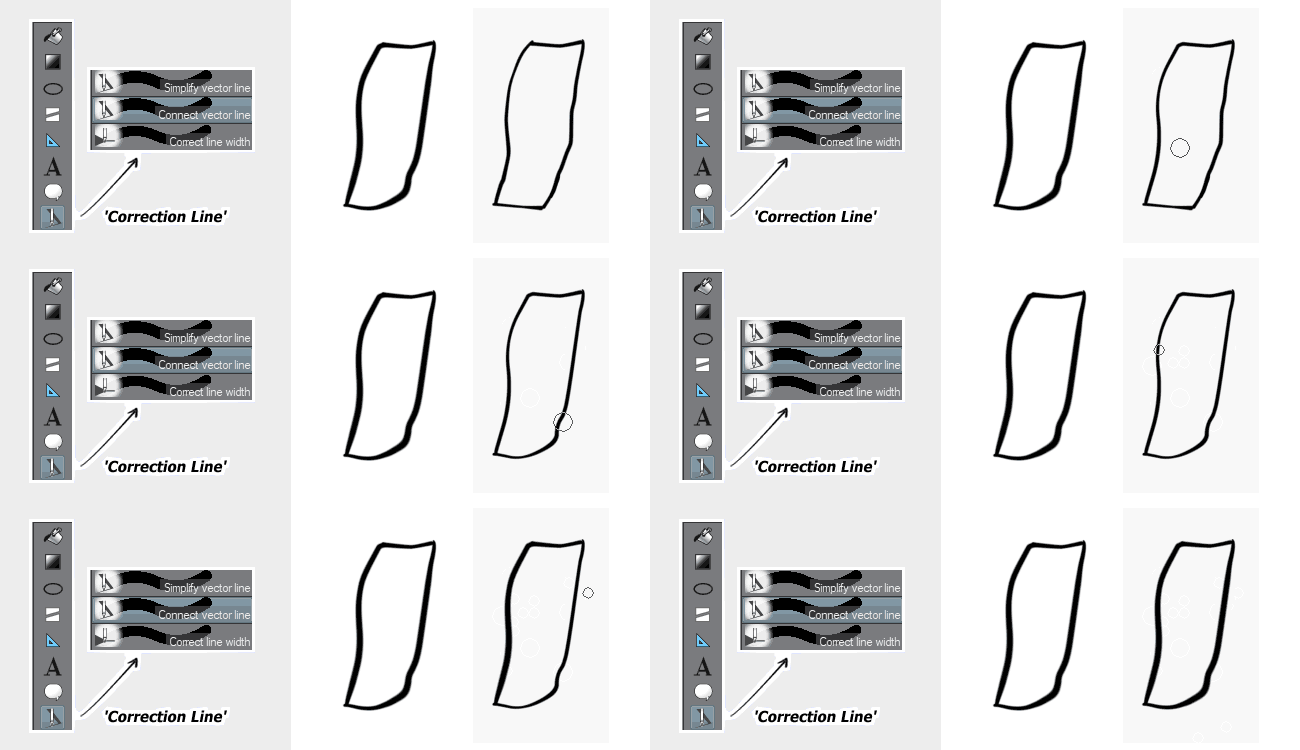
This will seem familiar to most of you guys, but this functions a little bit different from Photoshop. It turns everything you draw on the layer into editable curves, but retains the aliased smoothness of an ordinary raster layer. Practically a cheat to access the whole suite of amazing tools CS offers for lineart. Such as:
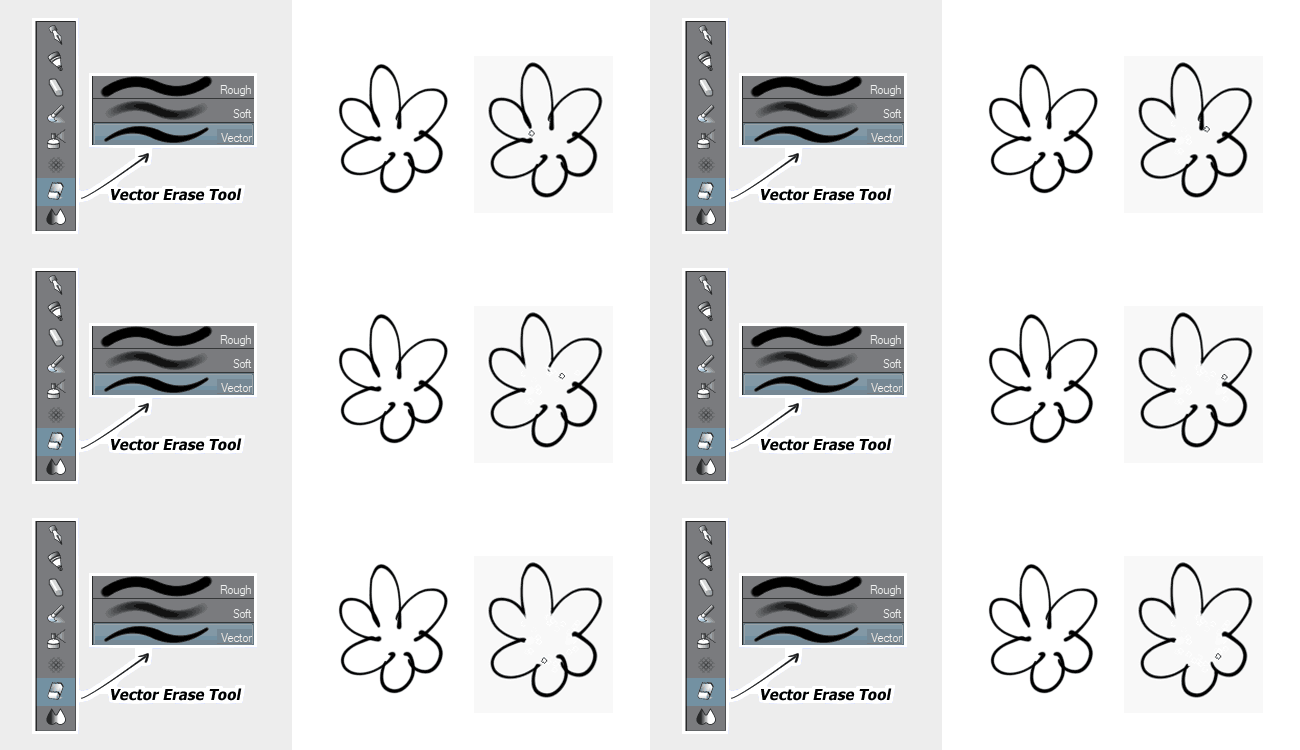
The vector eraser is The Best™. You can be as messy as possible and this tool erases the excess. One pen-flick and it’s done. Much faster than cleaning it up by hand. You can also tweak the settings of this brush to encapsulate more/less lines as you erase but that’s getting a little more involved. Anyway, last thing:
Maybe the only thing better than the vector eraser. There are multiple settings, but these three are the most handy. You can smooth wiggly edges, connect broken strokes, and tweak the width/weight to exactly how you want it. This also has a ton of settings you can play around with. It’s great!
There’s a lot more tools you can use, but you get the point! It’s a really good drawing program. I recommend it!
Hey fellow creators! So, as some folks may have recently become aware, Tumblr posts with external links don’t show up in relevant tags (as detailed in this post). IE, if you post a Steven Universe picture and tag it “Steven Universe” and there’s an external link in the post, it won’t actually show up in the “Steven Universe” tag! This is very frustrating! What if I make a post and want to link to my Twitter in the description? What if I want to link people to my online store when I post a piece of art? What if I want to link to a YouTube video and still have it show up under the relevant tags I put into the post?
Hold on to your butts kids cuz here’s how we cheat the system.
—
The thing about Tumblr’s Anti-Linking nonsense works is that it only blocks external links. Internal links are fine. So if you wanted to post a link to another Tumblr post, or someone’s Tumblr blog, you’re good. But if you wanted to link to your Twitter page or something, you’re screwed. So, all we gotta do is make your external link into a Tumblr link. Sounds weird. I know. But here’s how it works.
First, go to your Tumblr blog. Hit the “Edit Theme” tab.
In the theme editor sidebar, scroll all the way to the bottom, the “Page” section. (Here’s what mine looks like- I already have a few of these set up)
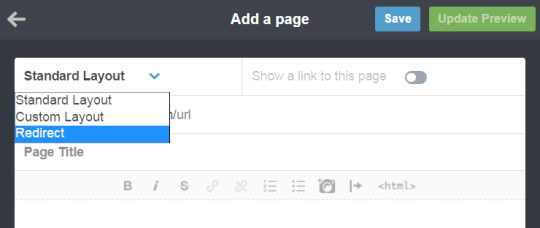
Hit “Add a Page”, and this window will pop up. By default it’s set to be a Standard Page. Hit the dropdown and select “redirect”.
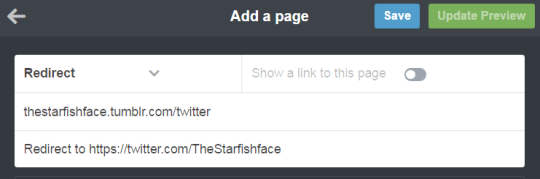
For this example, let’s say I want to link to my Twitter page. I’ll name the page “Twitter” (this is what the redirect URL will end up being- IE yourblogname.tumblr.com/Twitter), and insert my Twitter URL under the “Redirect To” tab. Leave “Show a link to this page” turned off. (Unless you want the link to show up on your blog, in which case, turn it on. Do what you want, I’m not your mom)
Hit “Save”, and your new page should now show up on your Page list!
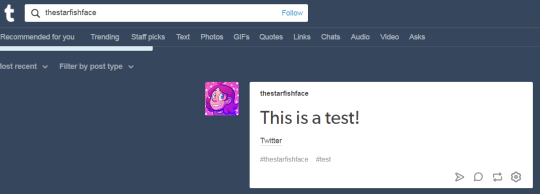
And done! So now, let’s say I wanted to use the new link in the text portion of a post. Simply use the Tumblr redirect link instead of the direct URL! As a test, I linked to my Twitter in a test post, using the redirect link instead of the direct link, and there it is in the tag! Success!
I recommend making a Redirect Page for any external links you’ll be using frequently. I like to post links to my webcomic/Twitter in posts fairly often, but doing that made me take a pretty big hit since my posts wouldn’t show up in tags. With this method, I can keep the external links, and have stuff show up when I tag it! Workarounds are fun!
If you’re a Non-Muslim and you see a Muslim praying in public, could you please not pass in front of them?
Go behind them, but not in front. 👍
Oh, signal boost! I didn’t know this.
Okay, but also: if you see a Muslim praying in public and they have something in front of them, like a purse or a bag or something like that, you can pass in front of them, but pass in front of that object.
it’s called a sutrah, and it’s meant to act as a physical barrier between the person praying and someone who might happen to pass in front.
Also, if you did this and didn’t know, please don’t beat yourself up over it. Now you know! Muslims aren’t supposed to pass in front of Muslims praying, either, because prayer is communication with God and you don’t want to break that connection.
Spread culture, respect customs, be good people. Simple as that.
Didn’t know this.
Reblogging again
THE AMOUNTS OF REBLOGS THIS HAS JUST MAKES ME SO HAPPY
S I G N A L B O O S T
Reblog forever !
Similarly, if a Jew is saying the Shemonah Esrei prayer (whispered, moving only the mouth, standing facing east with legs together) don’t go in front unless there’s a barrier.





 Marshmellowmilktea