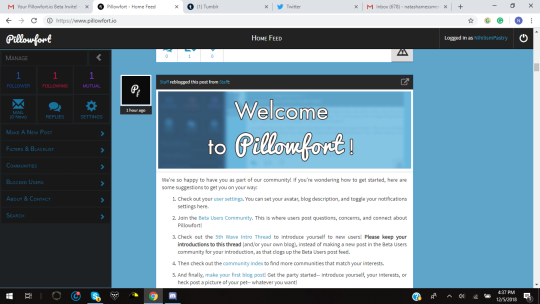
This is the home feed and the management system. It operates JUST LIKE the Tumblr dash.
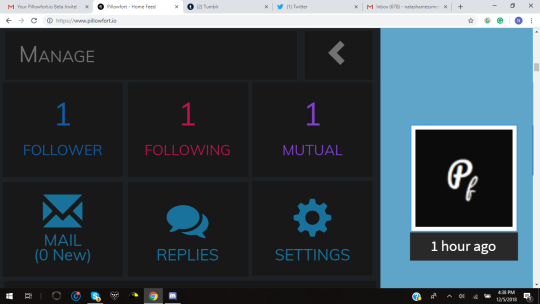
You can see who you’re following and such. Personally, I like the added mutuals button.
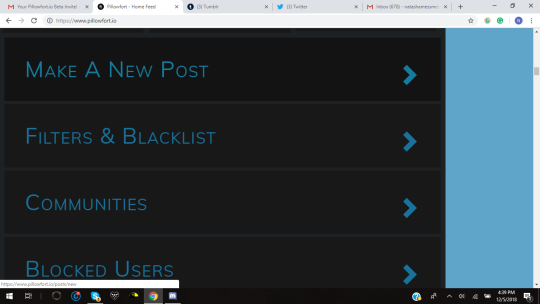
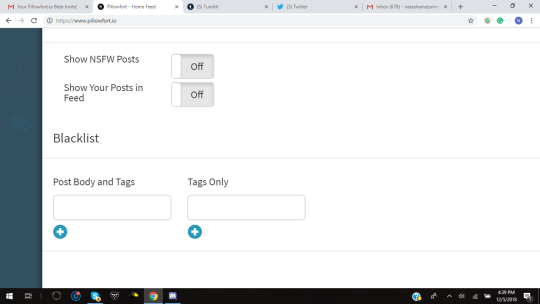
A massive filter and Black List button.
No excuse why you can’t filter shit you don’t like. It’s pretty easy to use and part of the program from the get go.
Search button is with your other things on the user board thing. You can search shit up via hashtags.
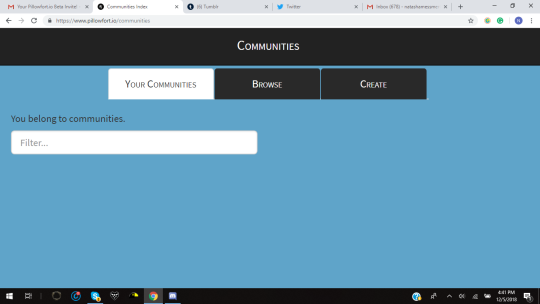
Communities are basically places you can find people to talk to and such. Until I find an 18+ one though, I’m not signing up for one. Fortunately you still get content from the people you follow, so you don’t even HAVE to be part of a community if you don’t want to. I think this tool is what’s good for people like @dinodaddy@itsallprimal@thetriskeliondiaries@instructor144@sccwriting@itsshinycollectordestinyworld and their D/s stuff.
Making posts is standard.
However, you can decide who views it, and if it can be commented upon. It’s pretty cool!
You also get the post to be searched via tags as shown above.
Look, it’s my blog!
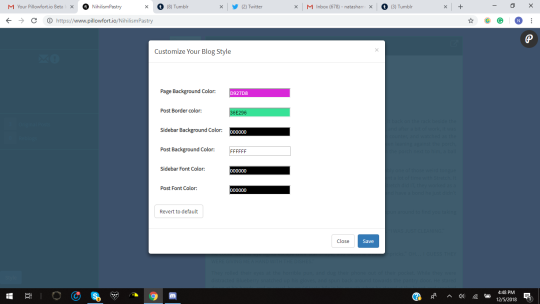
Customization options so far.
And those are the features for Pillowfort. I personally enjoy them. There will probably be more once it gets bigger, and they leave the io thing. SO far it’s functional, but the increase in traffic makes it a little slow.
What do ya’ll think?
I really like how it looks ❤ and they’re planning on changing their domain to allow nsfw ❤ exciting
this post will be updated as I find more websites to add! please check with the original before reblogging to see if there’s an updated version, and message me with corrections or more suggestions if you have them!!
websites in red have explicitly forbidden the posting of NSFW content.websites in orange allow certain types of NSFW content or have questionable / unclear guidelines.
for general use
joinmastodon.org – basically like if twitter and discord had a child??
mewe.com – privacy-focused, has groups and private messages
myspace.com – yes, it still exists, i’m just as surprised as you
nibblebit.com – similar to tumblr with reblogging / liking / customization of blogs
swarmr.com – looks like a clone of tumblr, though i haven’t tested
twitter.com – allows posting both text and photos in sets, allows retweets
livejournal.com – still an option, but questionably safe for fandom
mibba.com – for creative writers, centered around community feedback
wordpress.com – old and well-established, often considered the default
geared towards artists and photographers
deviantart.com – huge community, allows posting art + sorting into folders
flickr.com – great community for photographers, can join groups
furaffinity.net – similar to DA but for furries, easy to display commish info
instagram.com – photo and video posts, excellent tag search
newgrounds.com – an oldie but a goodie, allows a ton of media types
piczel.tv – allows both streaming and posting art / photosets to a gallery
pixiv.net – huge anime art community, allows livestreaming
chat or forum based
aminoapps.com – community-based, has blogs + chat, custom themes
discordapp.com – great chat app, text + voice, can join infinite servers
reddit.com – literally a community for everything, SO MANY CAT PHOTOS
18+ only
bdsmlr.com – microblogging + social media for people into kink
blogr.xxx – a tumblr clone created specifically for sharing porn
libertine.center – beautiful + modern site for posting irl nsfw and kinks
thefetlibrary.com – for posting of erotic stories, replaces bdsmlibrary
paid platforms
patreon.com – subscription-based access to many diff types of content
pillowfort.io – still in beta, but should function almost identically to tumblr
typepad.com – similar to wordpress but with reblogging and a dash
defunct platforms
(so people will stop telling me i forgot them)
jux.com – shut down in 2014 due to lack of funds
shoandtell.me – now redirects to someone’s personal blog
soup.io – more or less closed down this year due to GDPR issues
ways to save your current tumblr posts
use the wayback machine! you do have to archive each page of your blog individually but once you do all the content, including media, will be saved exactly as it was at the moment you archived it.
wordpress allows you to directly import whole tumblr blogs, and if i recall correctly it’s something both dreamwidth and pillowfort have said they are working on.
if you have some knowledge of computers you can try this github solution which uses a python script to download your whole blog to your computer. even if you don’t know anything about programming or the command line they give a very good beginners tutorial on how to use it so you should still give it a shot!
if that’s still a little daunting you can try soarcodes’ tumblr post that also has a decent tutorial!
some notes
please note that every site on this list will have pros and cons, and i haven’t listed them here since this post would be a mile long otherwise. please do your research before moving completely over to another site in case they have policies you disagree with.
also, because I see a lot of misinformed people ranting about this: deviantart does not own the art you post. some years ago hot topic stole a ton of art from DA and sold it on merchandise and people assumed that DA gave them permission to do it despite there being literally zero evidence for that claim. DA explictly states in their TOS that you retain copyright and sole license of the art you post.
post version 4.5, 2018-12-04 14:50 AST
libertine.center listed as modern site! Thank you and see you all there 😉
For people who want to use Dreamwidth, but are totally confused about how it works!
What is Dreamwidth?
Dreamwidth is a social media platform founded in 2009 after Strikethrough
It’s made out of a heavily-modified version of Livejournal code
It’s based around producing your own original content, and seeing original content other people post
The site is owned and run by fans and aims to provide creative people with an Internet home
Getting around your account
Your journal is like your “home”. It’s where you keep your stuff. It’s got different parts:
Recent Entries: View your posts in chronological order
(yourusername.dreamwidth.org)
Profile: Your “about” page
(yourusername.dreamwidth.org/profile)
Archive: See your posts as a calendar
(yourusername.dreamwidth.org/archive)
Tags: See all the tags you’ve used and go to their posts
(yourusername.dreamwidth.org/tag)
Memories: Like the “Likes” feature on Tumblr
You also have a “Reading” page (yourusername.dreamwidth.org/read)
This is like your Tumblr dash
It’s where you read entries from your “circle”, the people and communities you’re subscribed to
You can customize it a lot with filters and control who you see when
Finding new things
Listing an Interest in your profile is like getting listed in the phonebook. This is opt-in, choosing to say, “Yes! I’m really into this thing! Consider me a person who blogs about it!
Content Search is the more powerful way to search through the blog of everyone who’s opted into it, so you can look for everyone who’s posting about a certain thing right now. However, you’ll have to wade through a lot more junk.
Communities are Dreamwidth’s social hubs. They’re places where a lot of people can share content they’re interested in and talk to each other. Unlike Tumblr tags, they’re managed by specific people and have rules, so people behaving badly can get kicked out.
Paid members can see the Network page, which shows entries from everything everyone in your circle subscribes to. It’s a great way to discover new stuff and also learn what awful taste some of your circle members have
Latest Things is a direct firehose of EVERYTHING PUBLICLY POSTED TO THE SITE, HOMG
Privacy controls?! That’s a thing?!
You get to choose who sees your posts! You can make your posts public, private, or “locked”, which means only people you’ve added to your access list can read them
When you add a new person to your circle you can choose to subscribe to them, to make their posts show up on your Reading page, and/or to grant access, which lets them see your locked posts. You can do one, the other, or both!
Likewise, communities can make posts viewable to members only.
You can also create custom access filters, to allow only some of your access list to see a post.
Banning someone means they cannot leave you comments or send you messages. There are more advanced tweaks to make sure they never show up on your reading page if they post to a community you subscribe to, or remove them from the comments on a post.
Comments
The comments to a post are where the real fun happens.
Comments are sent to the email of whoever you’re replying to. They’re a real conversation. You’re not shouting into the void–you’re talking back directly to the post’s originator and other commenters.
You can edit your comment so long as it hasn’t been replied to, and you can delete your own comments.
The originator of the post, and administrators if it’s a community, can delete threads, or “freeze” them, leaving them intact but preventing anyone from replying to them.
You will add new skills to your resume
Dreamwidth leaves a lot more “backend” open so you can customize your experience to a huge degree. However, this means learning or using coding languages like HTML and CSS
The comment box on entries does not have a built-in text editor, so you will have to add your own HTML if you want to add <i>italic</i>, <b>bold</b>, or <a href=“http://websiteurl.com”>links</a>.
You can force Twitter to post the “raw” quality of your pics by adding one (1) pixel of transparency in the image.
Twitter uses some algorithm to compress images into .jpg, but it cannot do that if there’s transparency involved in the image, forcing it to be .png in its full quality. Literally one singular pixel ANYWHEREcounts for this, it can be on a corner if you don’t want it to be bothersome.
Figured some folks might be interested in this, considering Tumblr no longer supports the _raw trick.
For the sake of example instead of hearsay, I’ve posted a comparison in my Twitter here, but will also explain here. All images are 2000x2000px versions of my logo you can see on the top left of this post:
For the sake of moving your stuff to other places.
First, consider backing up your blog. They’ll send you a back up of every single post on your blog in a file via email, though it takes some time and be a really big file for some. You might not need or want it, depending on your blogging style.
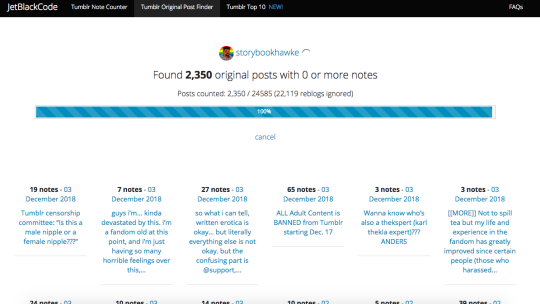
Tumblr Original Post Finder (jetblackcode.com/TumblrOriginalPostFinder/) ((not linked for obvious reasons for tblr’s censoring))
It will look like this when you type in your URL and press enter.
You can then go through and see which ones you’d want to save, or you can go back and filter by number of notes (for example, it can find all posts with 10+ or 100+ notes or whatever you desire). I plan on saving them to a document in order to post later to alternative websites, wherever we end up moving.
There’s not a lot of ways to speed the process up, but this is what I have. I hope it helps.
Hey everyone! So with the panic, I want to spread some positivity & tools to be proactive about a lot of the worries users have regardless of what’s coming down the absurd Tumblr pipeline.
There’s 3 great ways to save/download your content; the first will be one you can use to save online (great esp. for those who don’t have ‘spare room’ on their computer), and the latter two will save things locally:
1) save online by exporting to WordPress
saves “online” by copying your content to a WordPress blog. requires signing up there.
downloads into a ZIP folder. may include messages & inbox content too.
As wary as you might be of Tumblr (and for fair reason), they actually have a way to export your blog already. Follow the simple instructions here; really, it boils down to “go to Settings”, “choose which blog from the right”, “scroll to the bottom and click export”!
Personally, I’d use this one, especially if you want a bit more clarity in what & where you’re downloading. You can find the application & instructions here, but some of the immediately obvious perks include being able to queue download times (eg, set to download when you’re sleeping/away), the ability to throttle bandwidth (so it only takes up so much at a time, in case you need to be working online in the meantime), and options to download only a set list of URLs or only original content (so it skips reblogs/in case you only want certain things downloaded).
Hopefully this helps! I know not everyone’s been through a mass shift in fandom homing before, and even if you have, it can be an exhausting and/or daunting process. Take a deep breath, don’t panic, and look out for resources to make it easier!
Okay, folks. So. Tumblr’s jumped the shark in a big way, and I’m not even just talking about indiscriminately blocking all “adult” content on a platform that IS, in fact, primarily 18+.
Many blogs, like the wonderful @blackkatmagic , that are not especially NSFW have vanished.
(And I for one LIKE being able to go to curated porn blogs run by actual people and have a chance of finding stuff to my taste, it was one of the things that kept me on this hellsite, but that’s another issue entirely.)
I know lots of people are talking about migrating, but none of us are sure to where yet. Pillowfort seems to be an option, some people are talking about Twitter. But for now, it’s a mess, and even if we knew where we were going, it’s often a huge process, and a lot of us have stuff on tumblr that ONLY exists there.
One possible quick solution to save your blogs, both NSFW and personal, is to import it to WordPress. I found this solution through from frantic googling on how to save an entire blog, text posts an all. There are several apps for downloading all the pictures from a tumblr, (Plently for Windows, but only a few paid ones for mac, of which Tumbelog Picture Downloader is working for me so far) but this is the only solution I’ve seen so far that allows you to save EVERYTHING. I downloaded my NSFW blog in like 10 min. My regular blog, which is significantly larger, is in the process of importing, but I don’t anticipate any problems. I will, of course, update you if I have any.
This tutorial I found worked really easily. http://quickguide (.) tumblr (.) com/post/39780378703/backing-up-your-tumblr-blog-to-wordpress
I put parenthesis around the .’s like we’re back in FF-Hell, just in case tumblr’s new thing about outgoing links kicks in. You know what to do.
To break it down, just in case:
Sign up for a WordPress.com account at wordpress (.) com/start
You’ll have to create an account, with your email, a username, and a password. They should send you a confirmation email immediately, check it, activate it, and you’re good to go.
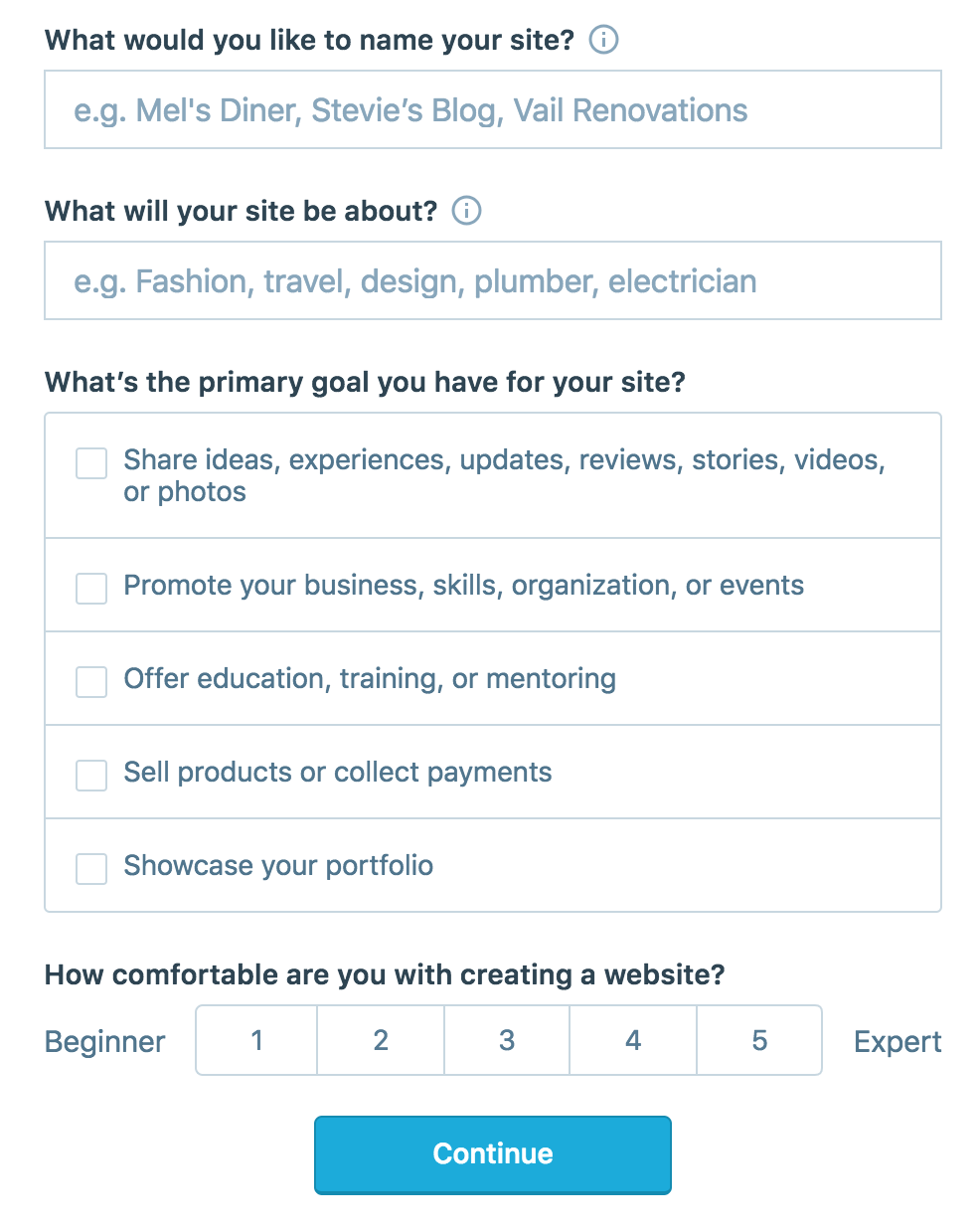
On the site, it will ask you for a site name. That page asks you a bunch of other information too, but you only have to fill out the site name.
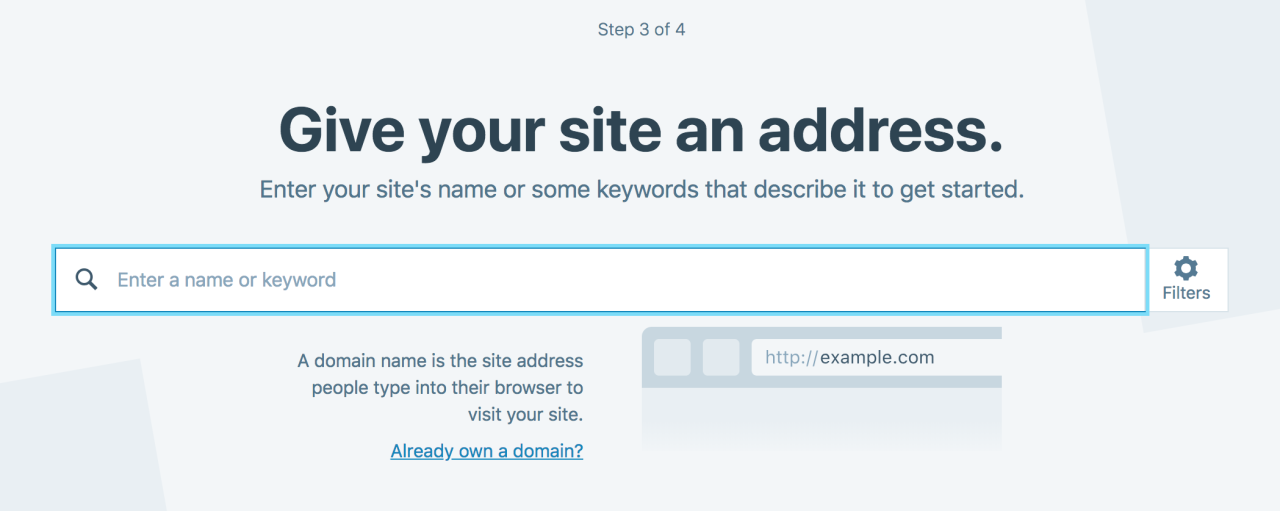
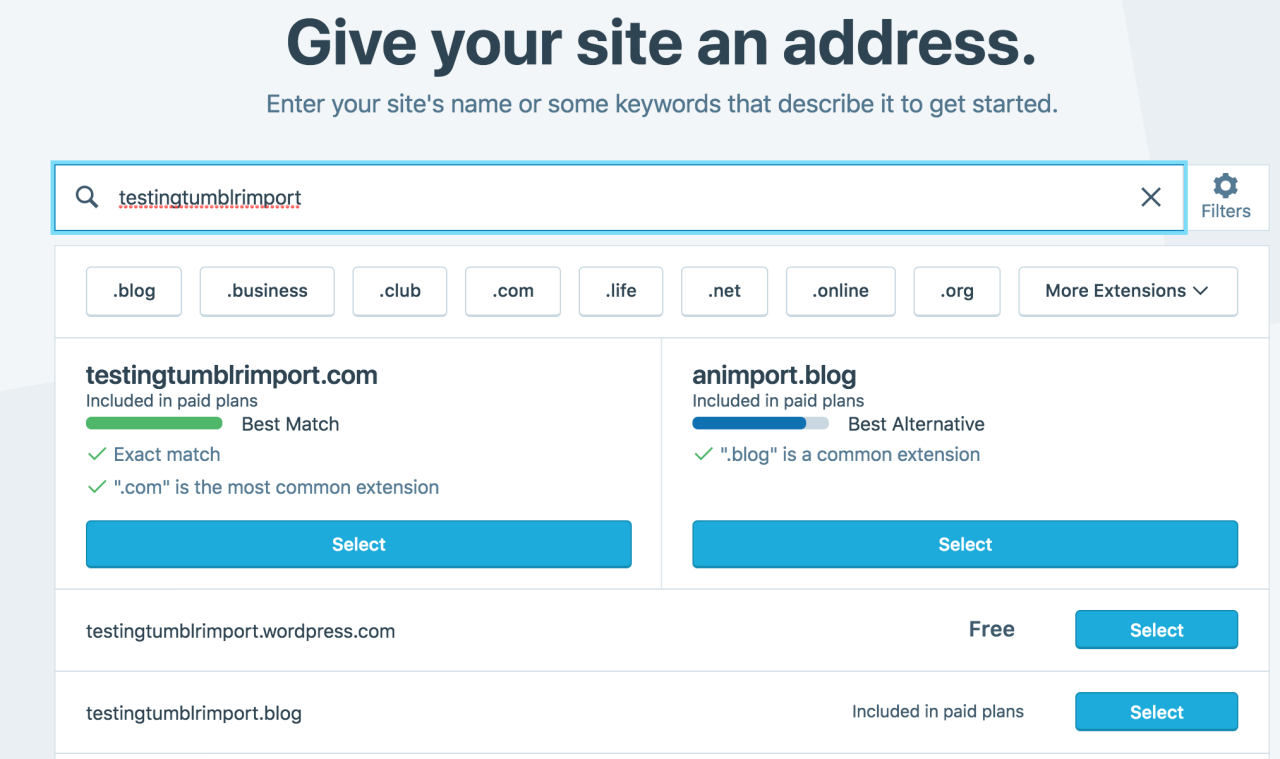
Then you have to give your site a URL. If you’re lucky, your tumblr URL is still available, if not you’ll have to come up with another one, sorry.
It will tell you if that option is still available for free.
Then it will ask you to pick a plan. Free is really good enough, I swear.
Now you’re set up! You can import your tumblr!
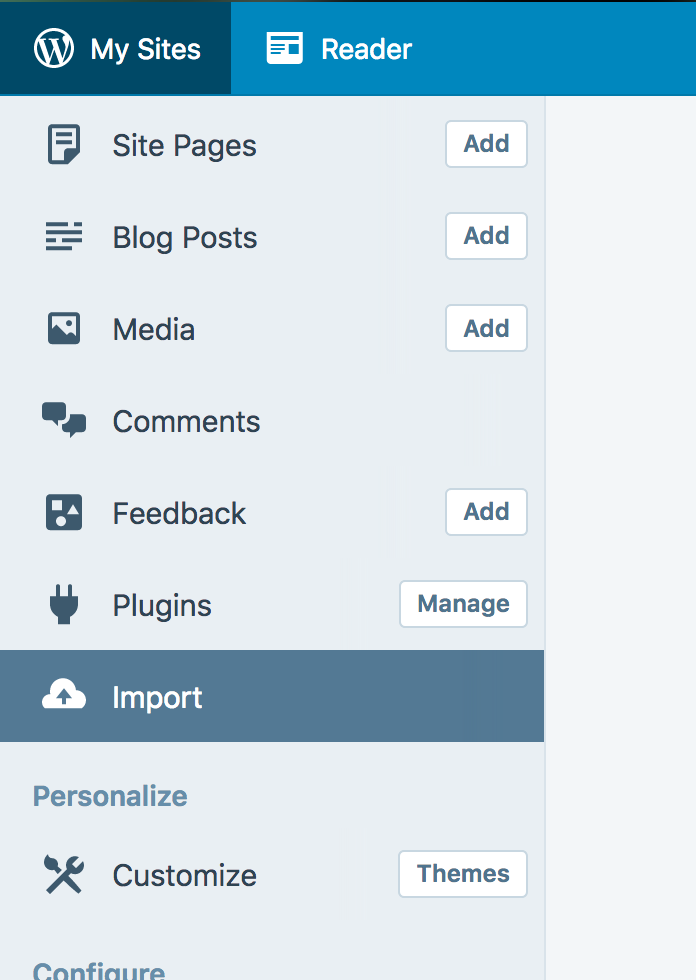
The only differences from the linked tutorial are that the Import button is now on the first level menu, not in tools.
Hit Import, then you have to follow the link for “other importers” at the bottom, to find the option for Tumblr.
Then you’ll have to sign in with tumblr, using your normal tumblr credentials. You’ll be redirected there automatically.
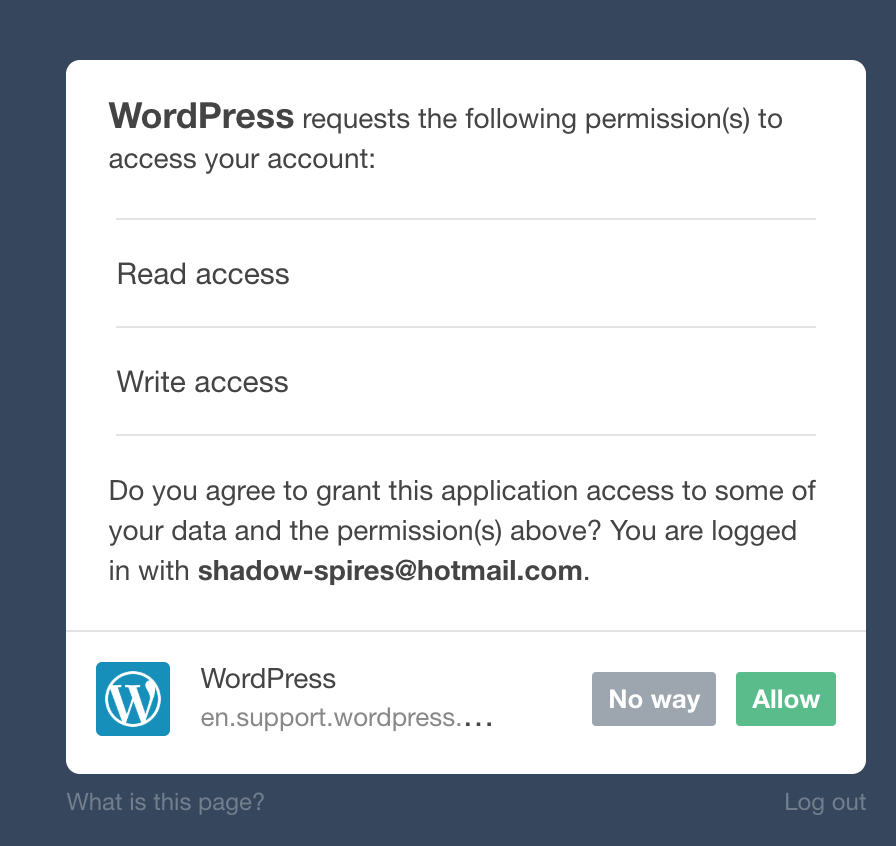
You’ll have to allow WordPress permissions on your blog.
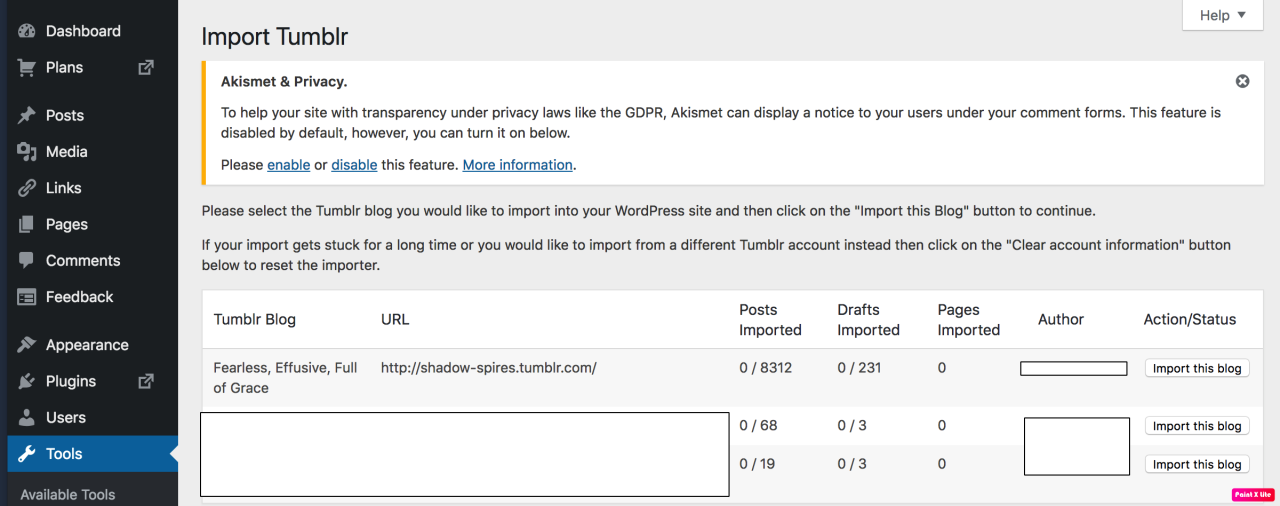
Then your blogs, including all your sideblogs, will show up in wordpress.
Hit import, wait a WHILE depending on the size of your blog, and you’re done!
ALSO!!
I made my NSFW blog private for now, since I don’t know WP’s policy on NSFW.
This means that to access it, someone has to have an account and request access. But hey, part of our problem on this hellsite has been people going places they aren’t wanted, so I don’t personally see this as a bad thing. They can send a request from the landing site on your blog, you get an email, click a link in the email, and PRESTO, they have access.
To make it private, go to Settings > Reading > Site Visibility. Go back and check, it took me changing the setting twice for it to actually stick.
tl;dr, you can import your entire blog to wordpress in just a few steps.
I’m going to tag the hell out of this, in no particular order. PLEASE reblog this and spread the word so people know it’s an option. If you’re having trouble, PM me, and I’m happy to help.
they have tutorials on how to record online, you might have to listen to the entire audio just to record it, that’s the only way I know how, good luck ladies and gents
Tumblr seems to be in potential death throes or at least, incredibly volatile and unreliable lately, but we’ve done some pretty good and informative work on canon analysis and reference guides so I was looking for ways to back it up without losing it…and the solution became obvious to me:
Archive of Our Own, aka AO3.
“What?” you might ask if you are less familiar with their TOS. “Isn’t that just a fanfic archive??”
No! It’s a fanWORK archive. It is an archive for fanworks in general! “Fanwork” is a broad term that encompasses a lot of things, but it doesn’t just include fanfic and fanart, vids etc; it also includes “fannish” essays and articles that fall under what’s often called “meta” (from the word for “beyond” or “above”, referencing that it goes beyond the original exact text)! The defining factor of whether Archive of Our Own is the appropriate place to post it is not whether or not it’s a fictional expansion of canon (fanfic), though that is definitely included – no, it’s literally just “is this a work by a ‘fan’ intended for other ‘fannish’ folks/of ‘fannish’ interest?”
The articles we’ve written as a handy reference to the period-appropriate Japanese clothing worn by Inuyasha characters? The analyses of characters? The delineations of concrete canon (the original work) vs common “fanon” (common misconceptions within the fandom)? Even the discussion of broader cultural, historical, and geographic context that applies to the series and many potential fanworks?
All of those are fannish nonfiction!
Which means they absolutely can (and will) have a home on AO3, and I encourage anybody who is wanting to back up similar works of “fannish interest” – ranging from research they’ve done for a fic, to character analyses and headcanons – to use AO3 for it, because it’s a stable, smooth-running platform that is ad-free and unlike tumblr, is run by a nonprofit (The OTW) that itself is run by and for the benefit of, fellow fans.
Of course, that begs the question of how to tag your work if you do cross-post it, eh? So on that note, here’s a quick run-down of tags we’re finding useful and applicable, which I’ve figured out through a combination of trial and error and actually asking a tag wrangler (shoutout to @wrangletangle for their invaluable help!):
First, the Very Broad:
– “ Nonfiction ”. This helps separate it from fanfic on the archive, so people who aren’t looking for anything but fanfic are less likely to have to skim past it, whereas people looking for exactly that content are more likely to find it.
– while “Meta” and “Essay” and even “Information” are all sometimes used for the kinds of nonfiction and analytical works we post, I’ve been told “ Meta Essay ” is the advisable specific tag for such works. This would apply to character analyses, reference guides to canon, and even reference guides to real-world things that are reflected in the canon (such as our articles on Japanese clothing as worn by the characters). The other three tags are usable, and I’ve been using them as well to cover my bases, but they’ll also tend to bring up content such as “essay format” fanfic or fanfic with titles with those words in them – something that does not happen with “Meta Essay”.
– I’ve also found by poking around in suggested tags, that “ Fanwork Research & Reference Guides ” is consistently used (even by casual users) for: nonfiction fannish works relating to analyses of canon materials; analyses of and meta on fandom-specific or fanwork-specific tropes; information on or guides to writing real-world stuff that applies to or is reflected in specific fandoms’ media (e.g. articles on period-appropriate culture-specific costuming and how to describe it); and expanded background materials for specific fans’ fanworks (such as how a given AU’s worldbuilding is supposed to be set up) that didn’t fit within the narrative proper and is separated out as a reference for interested readers.
Basically, if it’s an original fan-made reference for something specific to one or more fanworks, or a research aid for writing certain things applicable to fanworks or fannish interests in general, then it can fall under that latter tag.
– You should also mark it with any appropriate fandom(s) in the “Fandom” field. Just like you would for a fanfic, because of course, the work is specifically relevant to fans of X canon, right?
If it discusses sensitive topics, or particular characters, etc., you should probably tag for those. E.g. “death” or “mental illness”, “Kagome Higurashi”, etc.
Additionally, if you are backing it up from a Tumblr you may wish to add:
– “ Archived From Tumblr “ and/or “ Cross-Posted From Tumblr ” to reference the original place of publication, for works originally posted to tumblr. (I advise this if only because someday, there might not be “tumblr” as we know it, and someone might be specifically looking for content that was originally on it, you never know)
– “ Archived From [blog name] Blog ”; this marks it as an archived work from a specific blog. And yes, I recommend adding the word “blog” in there for clarity- Wrangletangle was actually delighted that I bothered to tag our first archived work with “Archived From Inu-Fiction Blog” because being EXTREMLY specific about things like that is super helpful to the tag wranglers on AO3, who have to decide how to categorize/”syn” (synonym) various new tags from alphabetized lists without context of the original posting right in front of them. In other words, including the name AND the word “blog” in it, helps them categorize the tag on the back end without having to spend extra time googling what the heck “[Insert Name Here]” was originally.
Overall, you should be as specific and clear as possible, but those tags/tag formats should prove useful in tagging it correctly should you choose to put fannish essays and articles up on AO3 🙂
Oh, and protip sidebar for those posting, especially works that are more than plain text: you can make archiving things quicker and easier for yourself, but remember to plan ahead for tumblr’s potential demise/disabling/service interruptions.
The good news: You can literally copy and paste the ENTIRE text of a tumblr post from say, an “edit” window, on tumblr, straight into AO3′s Rich Text Format editor, and it will preserve pretty much all or almost all of the formatting – such as bold, italics, embedded links, etc!
But the bad news: keep in mind that while AO3 allows for embedded images and it WILL transfer those embedded images with a quick copy-paste like that, AO3 itself doesn’t host the images for embedding; those are still external images. This means that whether or not they continue to load/display for users, depends entirely on whether the file is still on the original external server! As I quickly discovered, in the case of posts copied from the Edit window of a tumblr post, the images will still point to the copies of the images ON tumblr’s servers.
What this means is that you should back up (save copies elsewhere of) any embedded images that you consider vital to such posts, in case you need to upload them elsewhere and fiddle with where the external image is being pulled from, later.
Personally, I’m doing that AND adding image descriptions underneath them, just to be on the safe side (and in fairness, this makes it more accessible to people who cannot view the images anyway, such as sight-impaired people who use screen readers or people who have images set to not automatically display on their browser, so it’s win-win)
Thanks for this helpful guide! I haven’t used some of these tags so far for the fandom stats work I’ve cross-posted to AO3, but that’s because I didn’t know about them. Great ideas! 🙂
I keep meaning to mass archive my Toastystats work to AO3, but I am always stymied by image hosting when trying to overcome inertia and do so. It takes time to repost all the images to external hosting (like imgur). So thus far I’ve only done it for a few major analyses, and even in some of those cases, the images are hosted on Tumblr. But I should finally get around to it. At least I’ve exported my Toastystats side blog recently, so most of my stuff should be preserved if anything should happen. But maybe this holiday break I’ll finally make more progress.
I second all of this!
I’ve also found that AO3 is the best way for me to distribute my vids. I do have to host them elsewhere, but AO3 gives me a consistent URL and a way to have useful headers with fandom/ship/etc. even if I switch hosting a hundred times.









 Marshmellowmilktea