For the sake of moving your stuff to other places.
First, consider backing up your blog. They’ll send you a back up of every single post on your blog in a file via email, though it takes some time and be a really big file for some. You might not need or want it, depending on your blogging style.
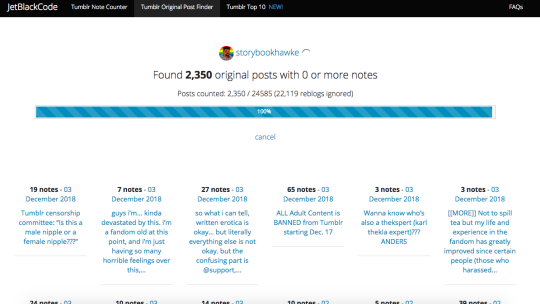
Tumblr Original Post Finder (jetblackcode.com/TumblrOriginalPostFinder/) ((not linked for obvious reasons for tblr’s censoring))
It will look like this when you type in your URL and press enter.
You can then go through and see which ones you’d want to save, or you can go back and filter by number of notes (for example, it can find all posts with 10+ or 100+ notes or whatever you desire). I plan on saving them to a document in order to post later to alternative websites, wherever we end up moving.
There’s not a lot of ways to speed the process up, but this is what I have. I hope it helps.
Hey everyone! So with the panic, I want to spread some positivity & tools to be proactive about a lot of the worries users have regardless of what’s coming down the absurd Tumblr pipeline.
There’s 3 great ways to save/download your content; the first will be one you can use to save online (great esp. for those who don’t have ‘spare room’ on their computer), and the latter two will save things locally:
1) save online by exporting to WordPress
saves “online” by copying your content to a WordPress blog. requires signing up there.
downloads into a ZIP folder. may include messages & inbox content too.
As wary as you might be of Tumblr (and for fair reason), they actually have a way to export your blog already. Follow the simple instructions here; really, it boils down to “go to Settings”, “choose which blog from the right”, “scroll to the bottom and click export”!
Personally, I’d use this one, especially if you want a bit more clarity in what & where you’re downloading. You can find the application & instructions here, but some of the immediately obvious perks include being able to queue download times (eg, set to download when you’re sleeping/away), the ability to throttle bandwidth (so it only takes up so much at a time, in case you need to be working online in the meantime), and options to download only a set list of URLs or only original content (so it skips reblogs/in case you only want certain things downloaded).
Hopefully this helps! I know not everyone’s been through a mass shift in fandom homing before, and even if you have, it can be an exhausting and/or daunting process. Take a deep breath, don’t panic, and look out for resources to make it easier!
Okay, folks. So. Tumblr’s jumped the shark in a big way, and I’m not even just talking about indiscriminately blocking all “adult” content on a platform that IS, in fact, primarily 18+.
Many blogs, like the wonderful @blackkatmagic , that are not especially NSFW have vanished.
(And I for one LIKE being able to go to curated porn blogs run by actual people and have a chance of finding stuff to my taste, it was one of the things that kept me on this hellsite, but that’s another issue entirely.)
I know lots of people are talking about migrating, but none of us are sure to where yet. Pillowfort seems to be an option, some people are talking about Twitter. But for now, it’s a mess, and even if we knew where we were going, it’s often a huge process, and a lot of us have stuff on tumblr that ONLY exists there.
One possible quick solution to save your blogs, both NSFW and personal, is to import it to WordPress. I found this solution through from frantic googling on how to save an entire blog, text posts an all. There are several apps for downloading all the pictures from a tumblr, (Plently for Windows, but only a few paid ones for mac, of which Tumbelog Picture Downloader is working for me so far) but this is the only solution I’ve seen so far that allows you to save EVERYTHING. I downloaded my NSFW blog in like 10 min. My regular blog, which is significantly larger, is in the process of importing, but I don’t anticipate any problems. I will, of course, update you if I have any.
This tutorial I found worked really easily. http://quickguide (.) tumblr (.) com/post/39780378703/backing-up-your-tumblr-blog-to-wordpress
I put parenthesis around the .’s like we’re back in FF-Hell, just in case tumblr’s new thing about outgoing links kicks in. You know what to do.
To break it down, just in case:
Sign up for a WordPress.com account at wordpress (.) com/start
You’ll have to create an account, with your email, a username, and a password. They should send you a confirmation email immediately, check it, activate it, and you’re good to go.
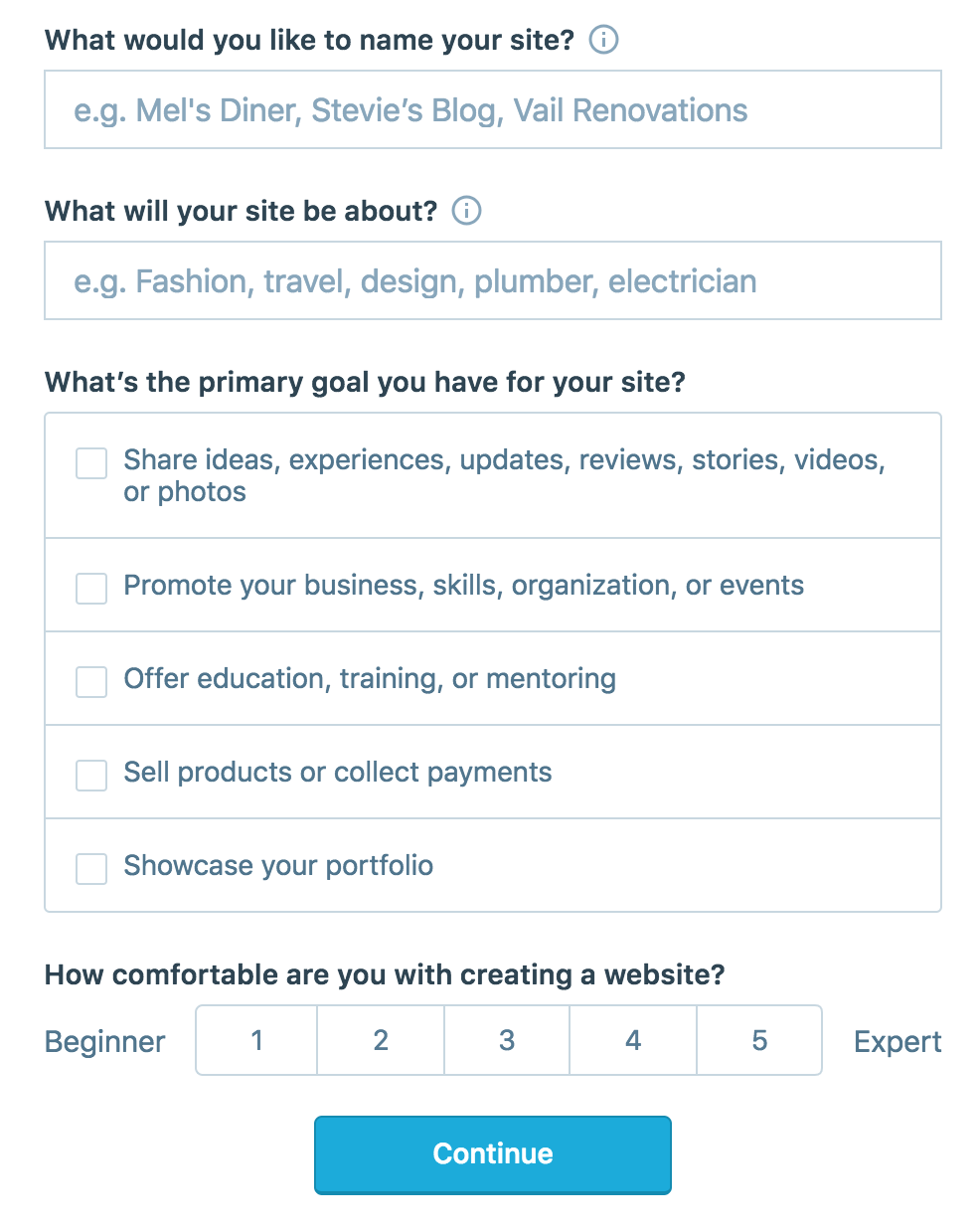
On the site, it will ask you for a site name. That page asks you a bunch of other information too, but you only have to fill out the site name.
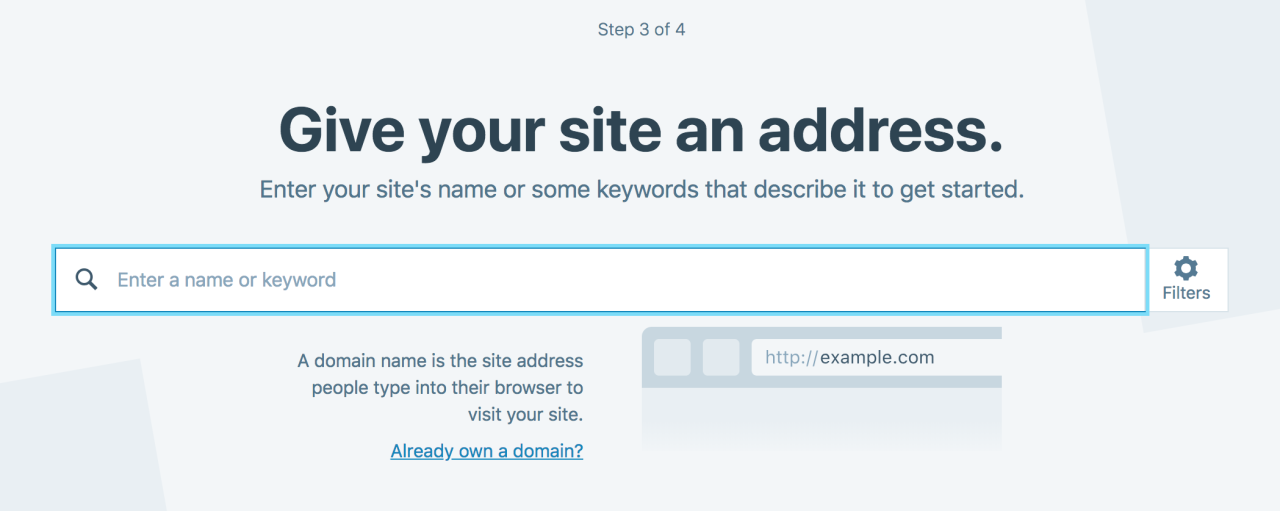
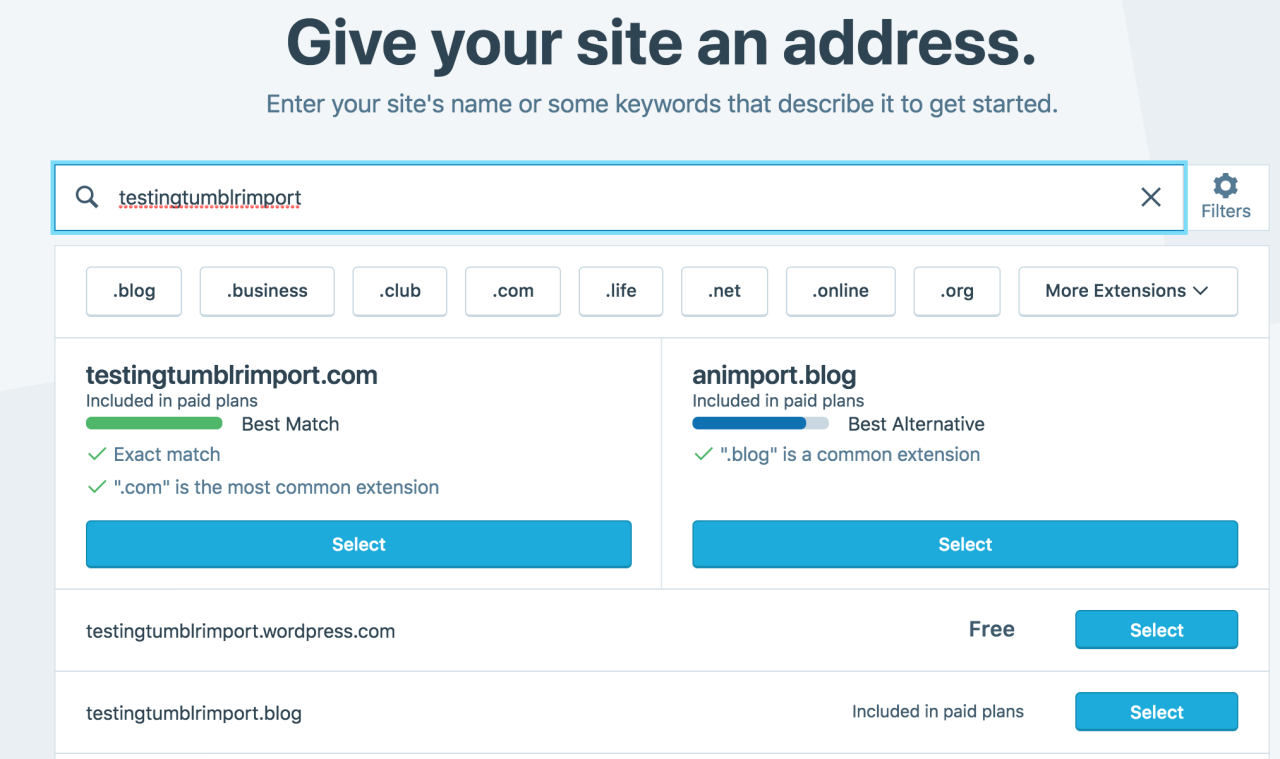
Then you have to give your site a URL. If you’re lucky, your tumblr URL is still available, if not you’ll have to come up with another one, sorry.
It will tell you if that option is still available for free.
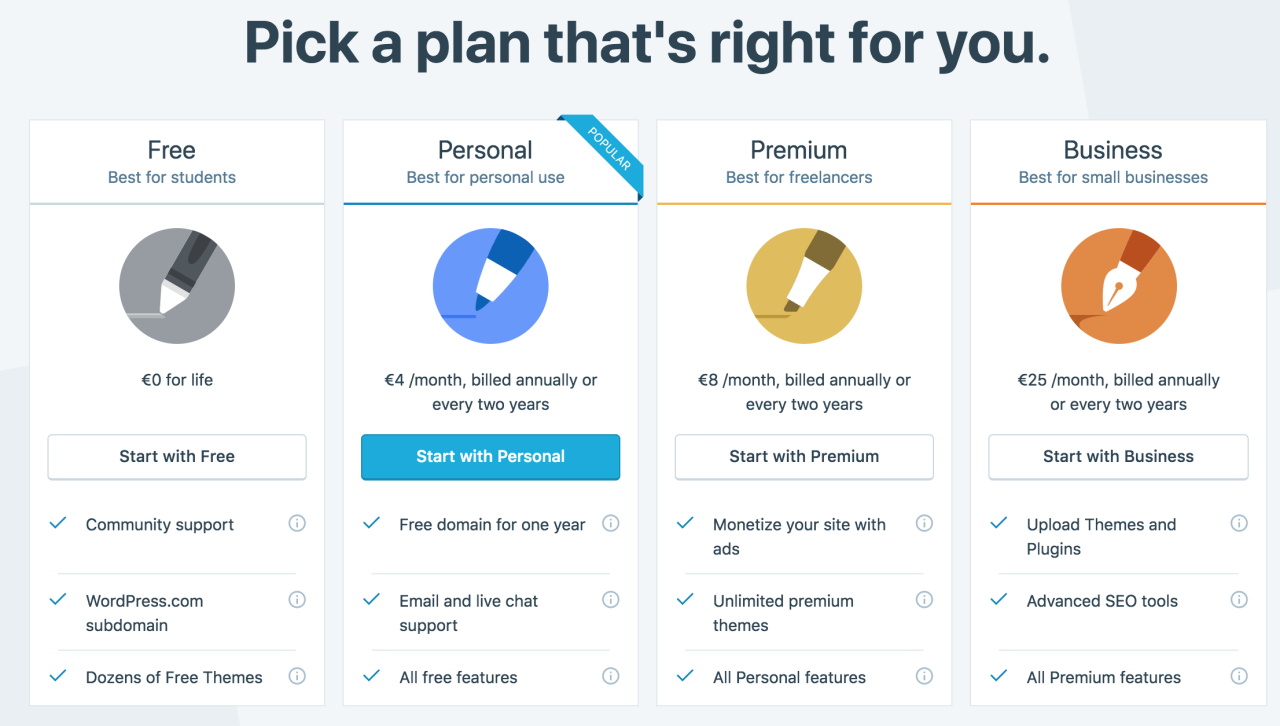
Then it will ask you to pick a plan. Free is really good enough, I swear.
Now you’re set up! You can import your tumblr!
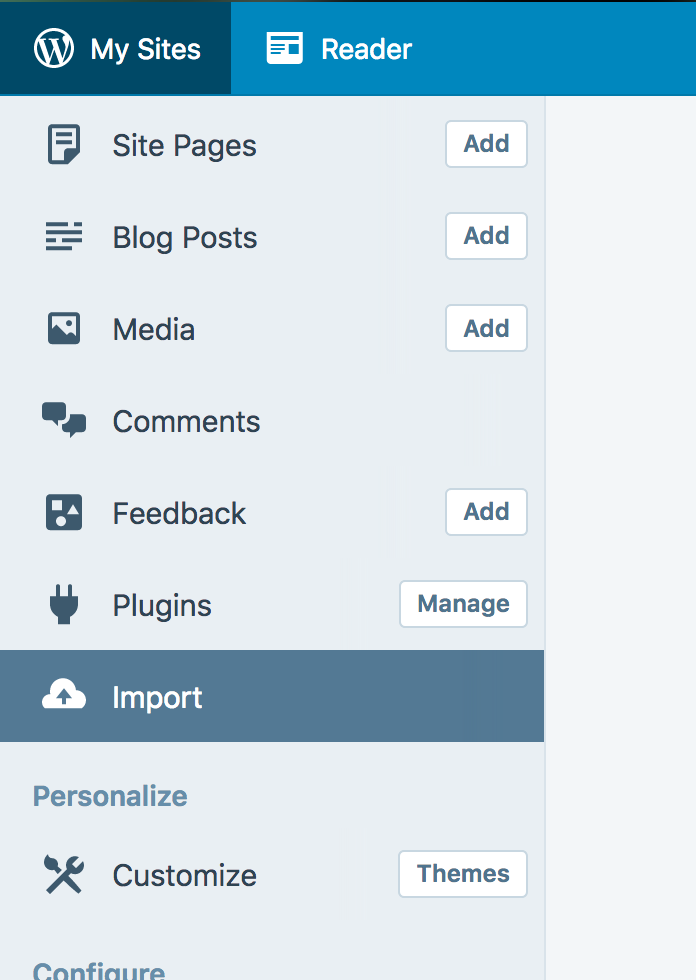
The only differences from the linked tutorial are that the Import button is now on the first level menu, not in tools.
Hit Import, then you have to follow the link for “other importers” at the bottom, to find the option for Tumblr.
Then you’ll have to sign in with tumblr, using your normal tumblr credentials. You’ll be redirected there automatically.
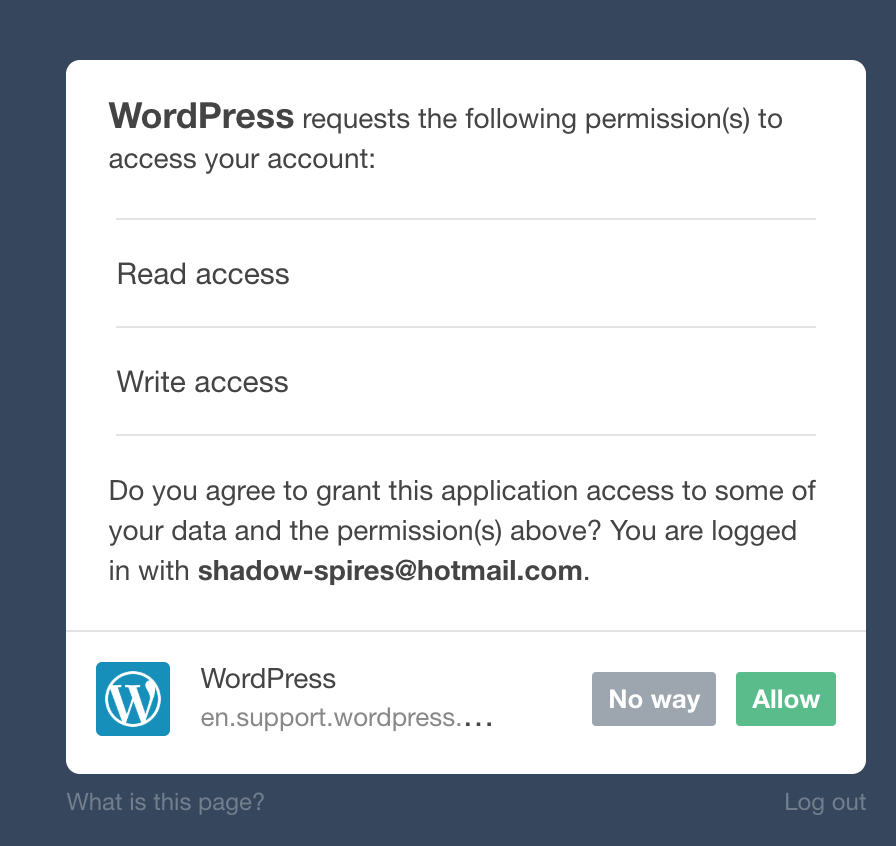
You’ll have to allow WordPress permissions on your blog.
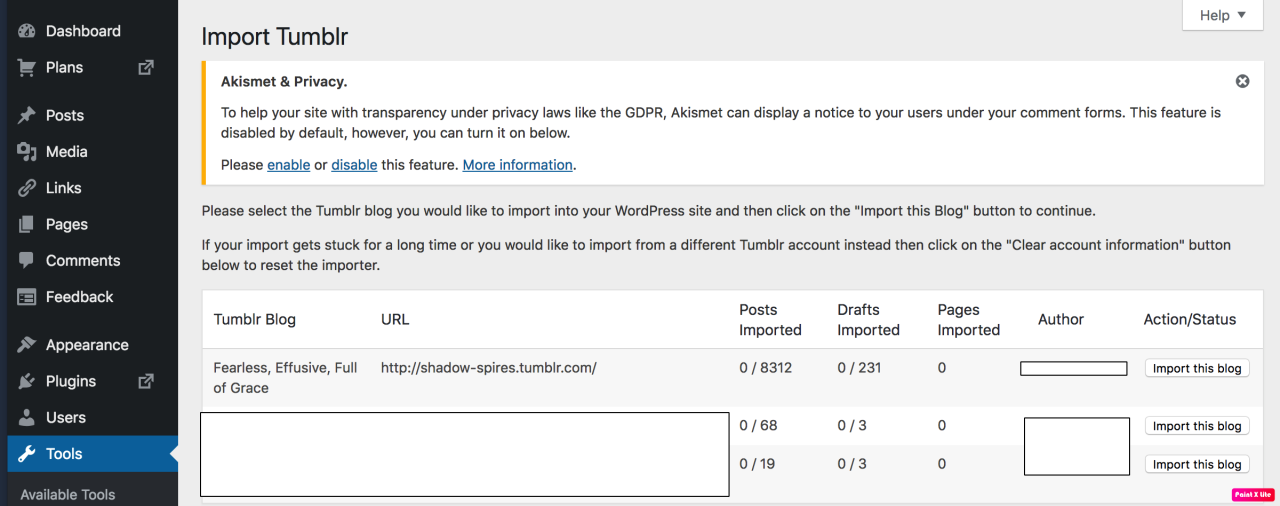
Then your blogs, including all your sideblogs, will show up in wordpress.
Hit import, wait a WHILE depending on the size of your blog, and you’re done!
ALSO!!
I made my NSFW blog private for now, since I don’t know WP’s policy on NSFW.
This means that to access it, someone has to have an account and request access. But hey, part of our problem on this hellsite has been people going places they aren’t wanted, so I don’t personally see this as a bad thing. They can send a request from the landing site on your blog, you get an email, click a link in the email, and PRESTO, they have access.
To make it private, go to Settings > Reading > Site Visibility. Go back and check, it took me changing the setting twice for it to actually stick.
tl;dr, you can import your entire blog to wordpress in just a few steps.
I’m going to tag the hell out of this, in no particular order. PLEASE reblog this and spread the word so people know it’s an option. If you’re having trouble, PM me, and I’m happy to help.
they have tutorials on how to record online, you might have to listen to the entire audio just to record it, that’s the only way I know how, good luck ladies and gents







 Marshmellowmilktea